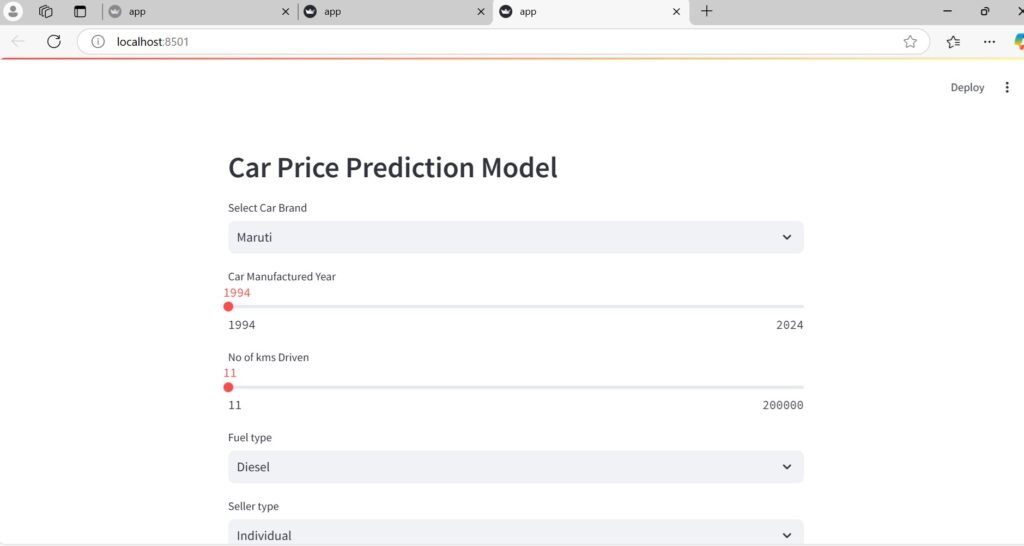
Project Details

Step 1 - If Python Not Installed

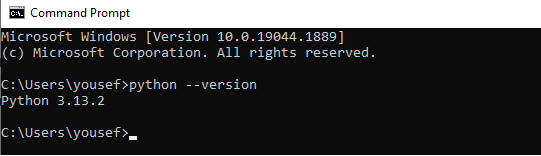
Open command prompt by typing cmd and give command python – – version, check

if you dont have python you may see like this

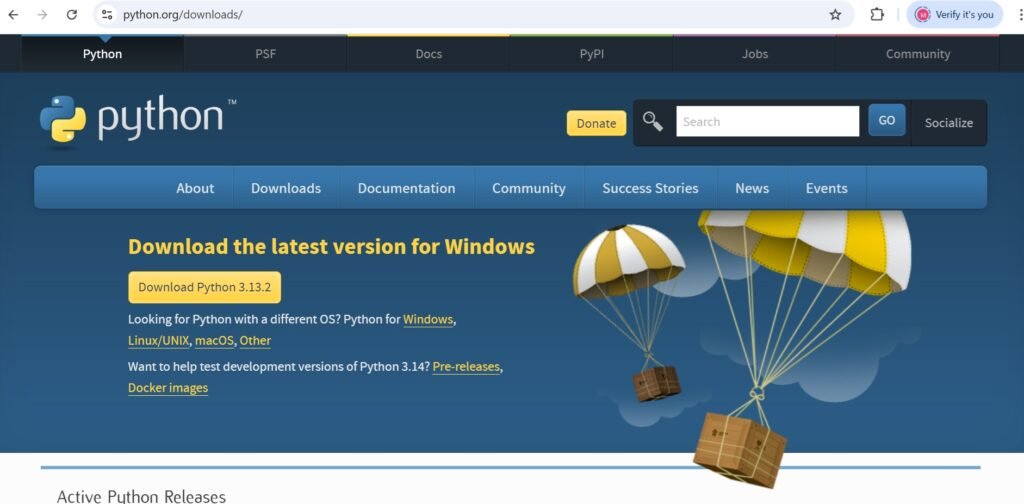
Goto https://www.python.org/downloads/ and download the latest python version for windows

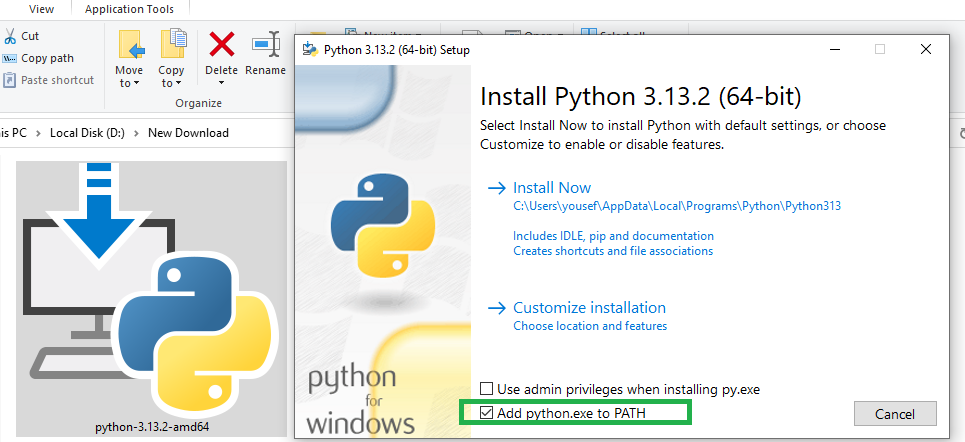
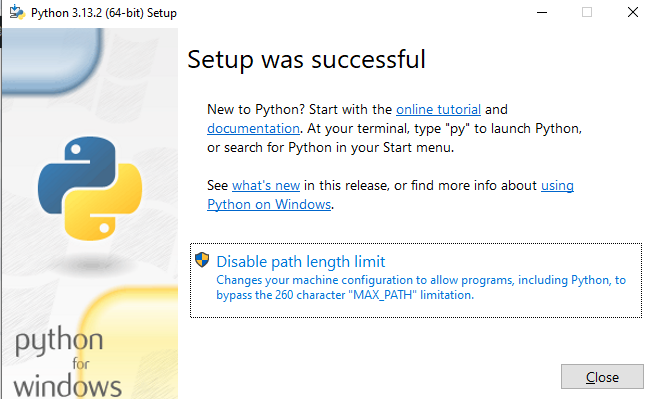
After the installer is downloaded, double click and run, Install now and select check box to add path as shown

Now close the command prompt and open and type python – – version, you will be able to see version number

Step 2 - Check Environment Variable

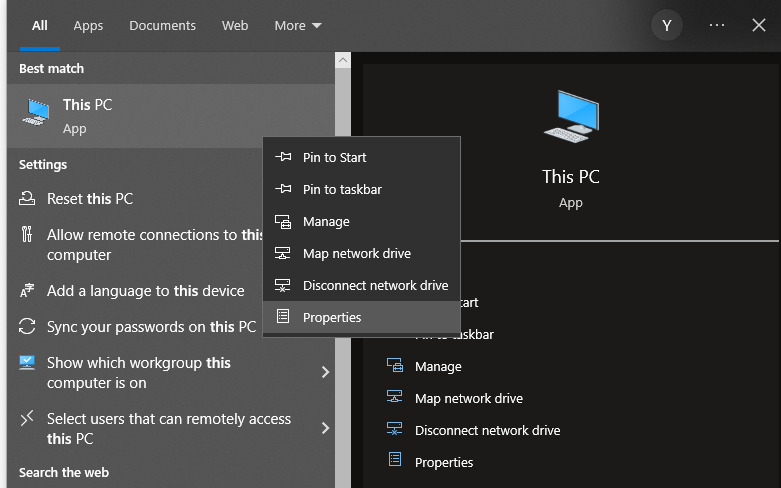
Goto Search Type This PC and Right Click on Properties

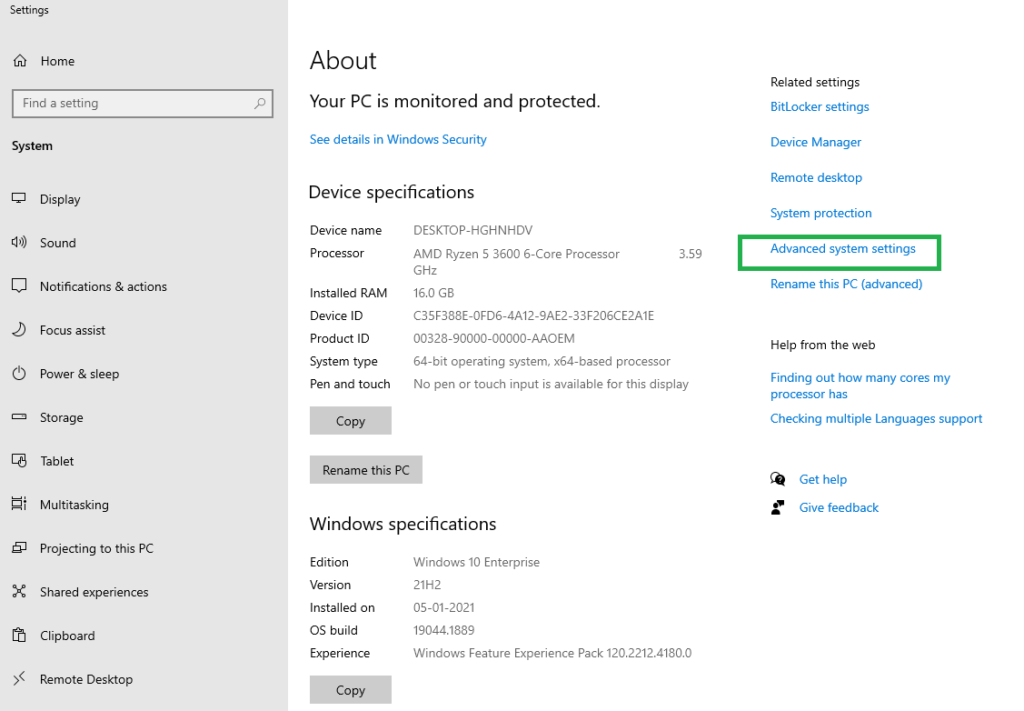
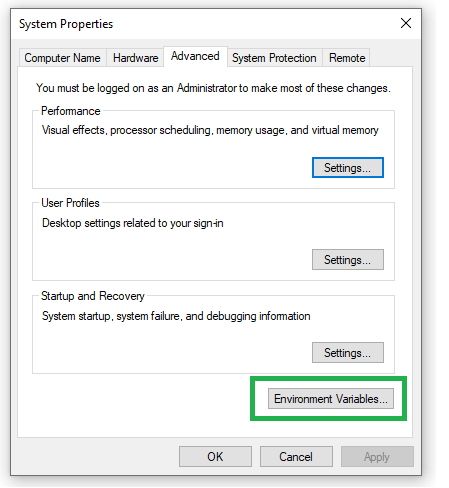
Click on Advanced System Settings

Click on Environment Variables

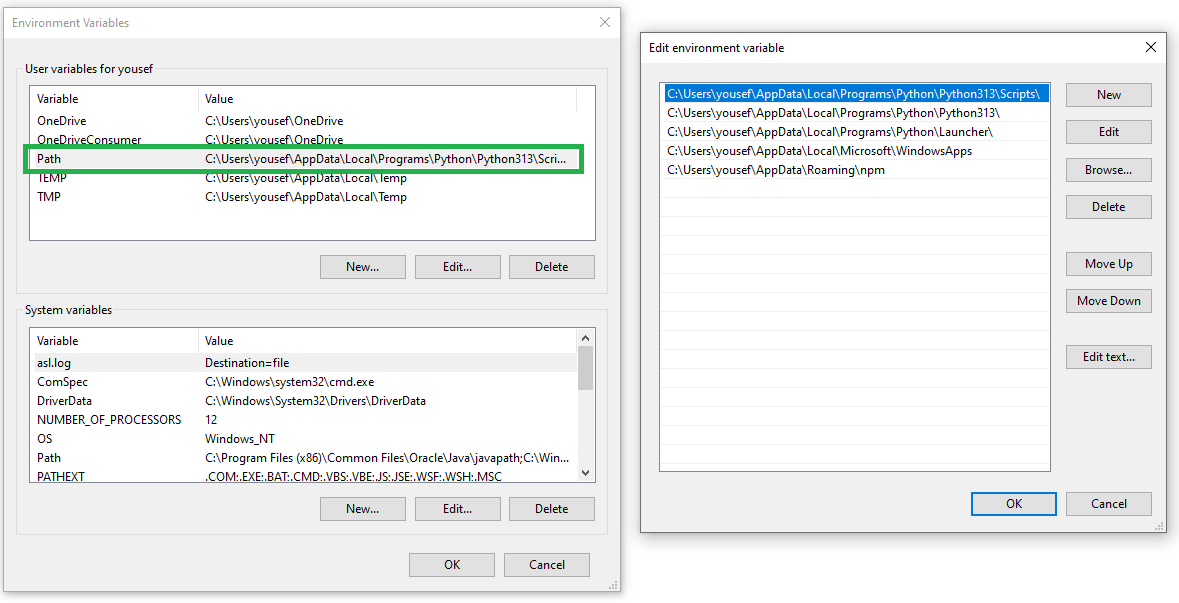
Select Path and Edit, Ensure Python as shown is included as per your installation location

Step 3 - Install Python Libraries

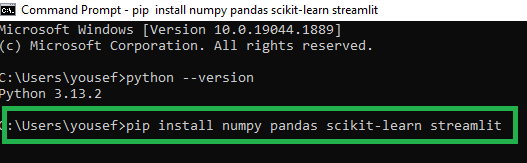
pip install numpy pandas scikit-learn streamlit

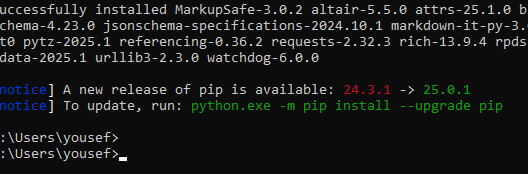
Once python libraries are installed you will see like this

Step 4 - Install Jupyter Notebook

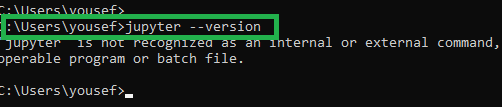
Check if Jupyter Notebook is installed

If not installed, run command pip install notebook

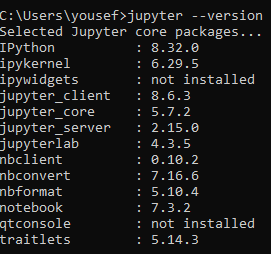
Now Verify if Jupyter is Installed, if installed you will see like this

Now Verify if Jupyter is Installed, if installed you will see like this

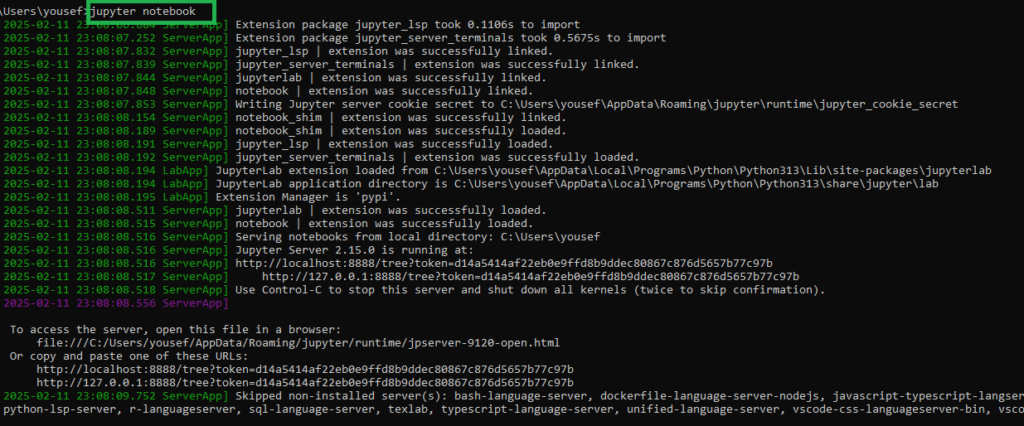
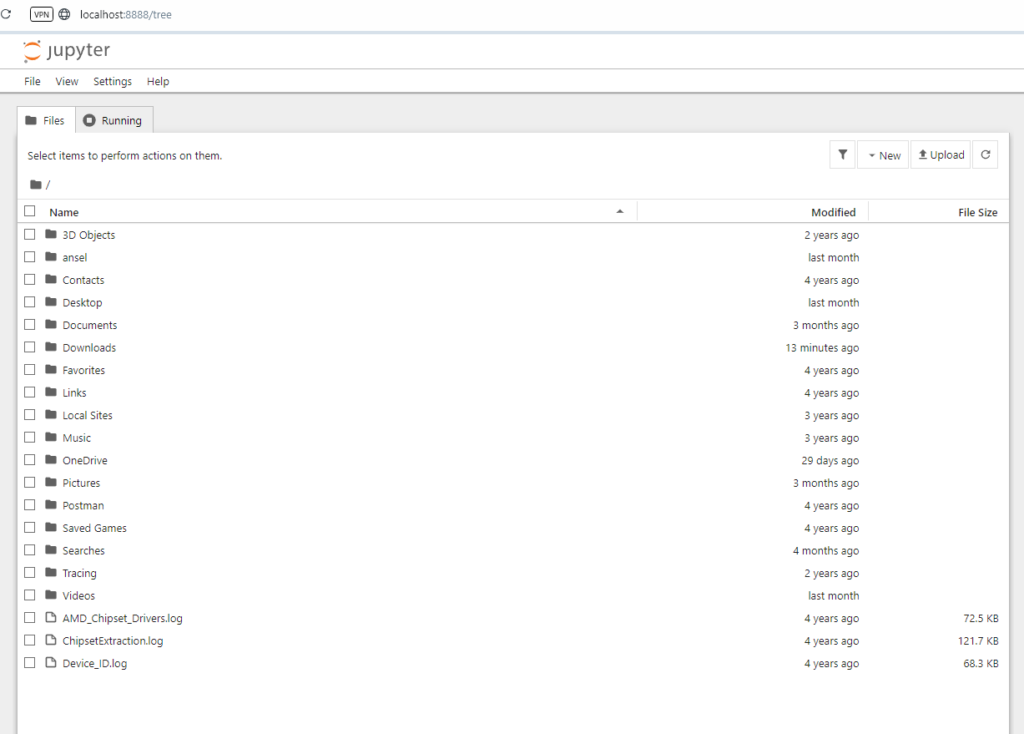
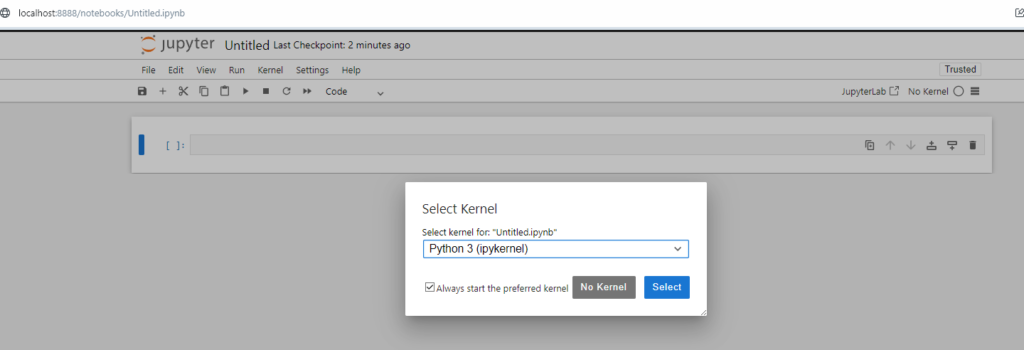
Jupyter Notebook will open in browser or 

Goto File > New > Notebook – Select Python Version and Select Check Box

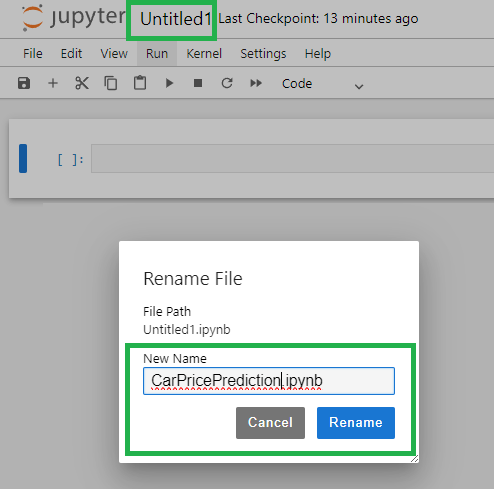
Rename the file

Step 5 - Lets Start Working On Project

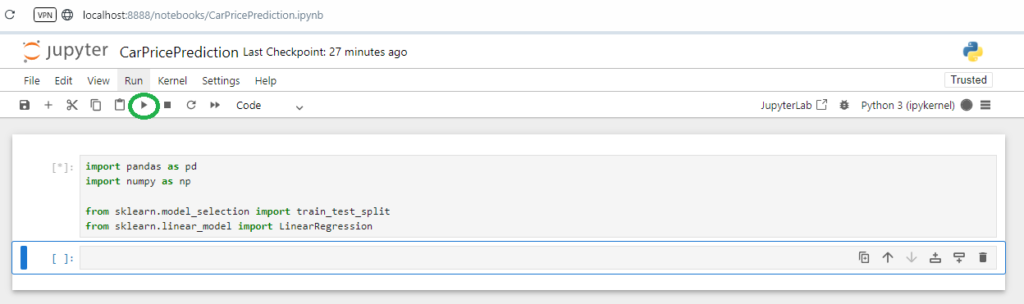
import the libraries and run 

import pandas as pd
import numpy as np

from sklearn.model_selection import train_test_split
from sklearn.linear_model import LinearRegression

Download The Dataset and

https://drive.google.com/file/d/1LhaWOs3V3cvFX-isSqL4-E9M9VJXb0Ua/view?usp=sharing

Download The Dataset and

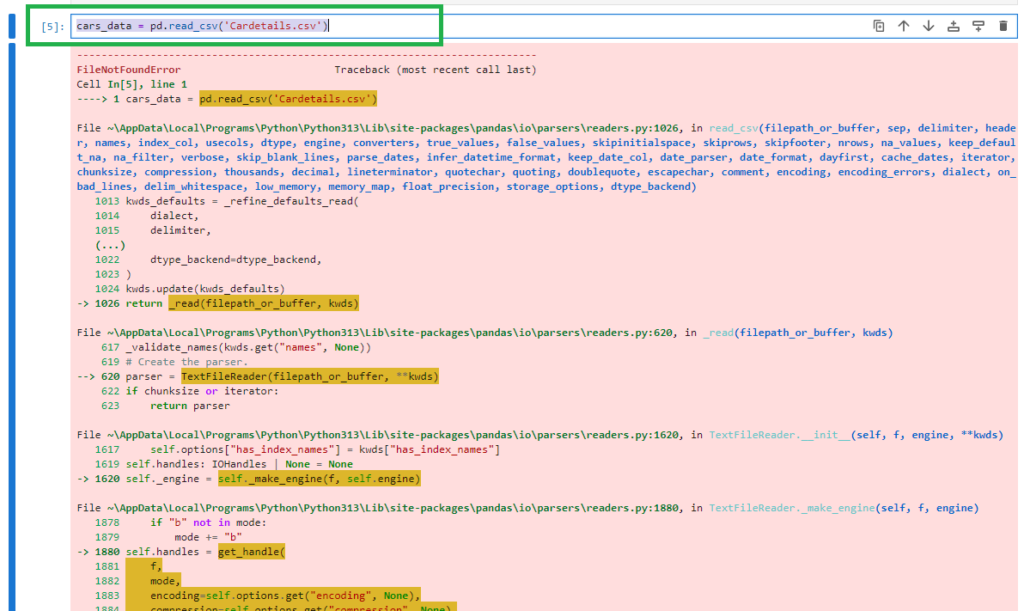
Try reading the file by running this command

cars_data = pd.read_csv(‘Cardetails.csv’)

You may get this error, this is due to csv file is not placed in right location

Check the correct path

give command 

import os

print(os.getcwd())

now at this location that comes, place your Cardetails.csv file

Rerun 

give command 

import os

print(os.getcwd())

now at this location , place your Cardetails.csv file and rerun command cars_data = pd.read_csv(‘Cardetails.csv’) ,it will run successfully

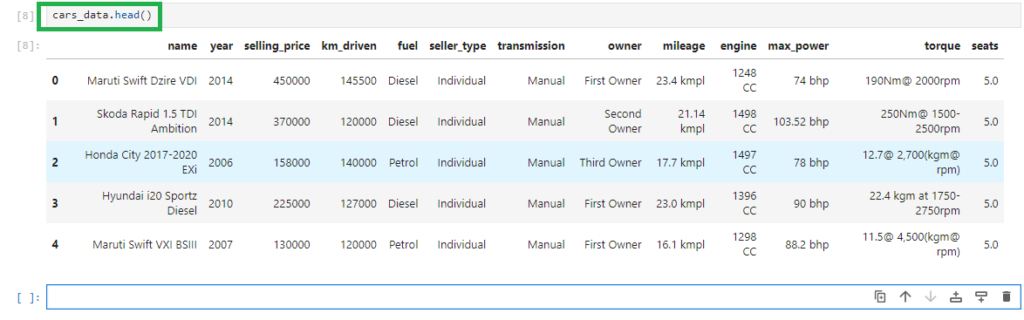
Lets kook at the data 

give command cars_data.head()

to fetch top 5 rows

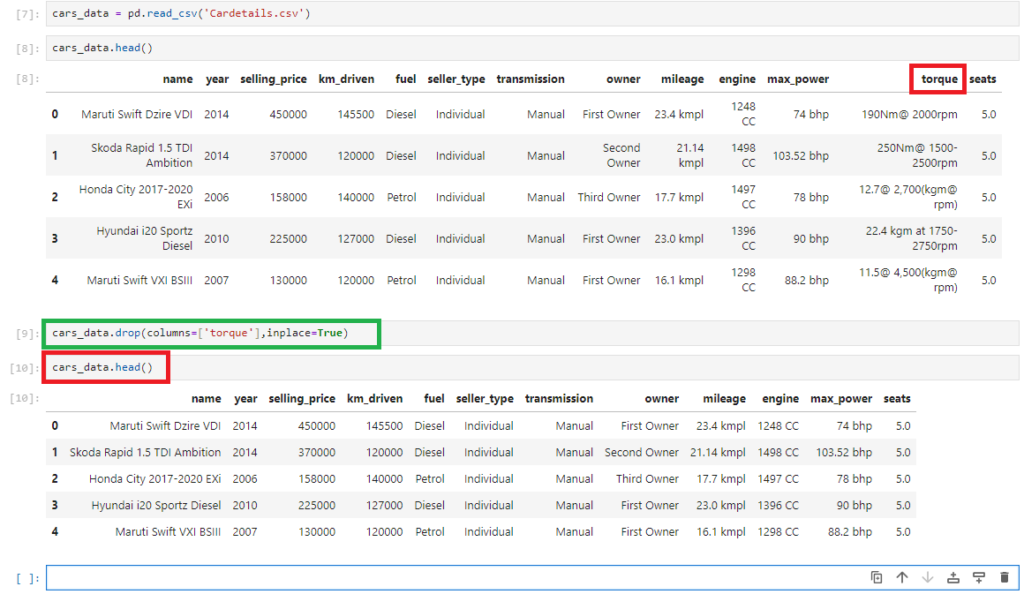
Lets Clean Data , remove unnecessary columns

cars_data.drop(columns=[‘torque’],inplace=True)
 

Dropping the column torque

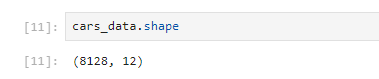
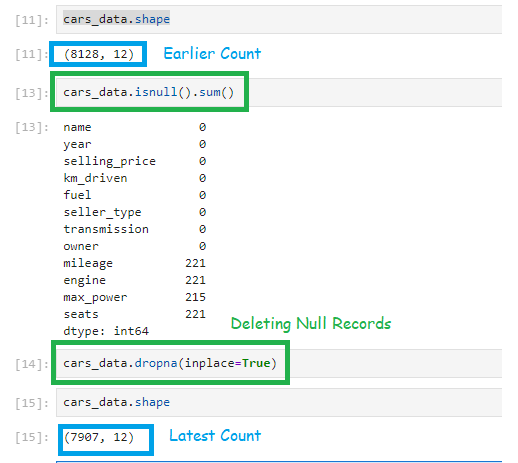
Checking the DataSet Size Number of Rows and Columns

run command  cars_data.shape
 

So we having 8128 rows and 12 columns

Step 6 - Starting Pre Processing of Data

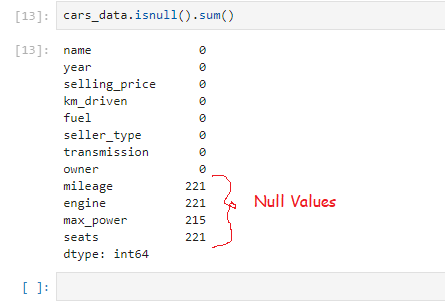
Check for null records

run command cars_data.isnull().sum()

Remove the null records

run command cars_data.dropna(inplace=True)

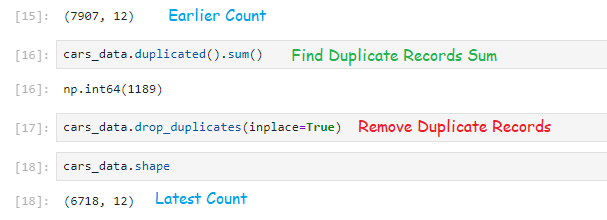
Check for duplicate records

run command cars_data.isnull().sum() to find duplicate records sum
run command cars_data.drop_duplicates(inplace=True) to drop duplicate records
run command cars_data.shape to check the latest rows, column count
 
Now we have the clean data without null and duplicate

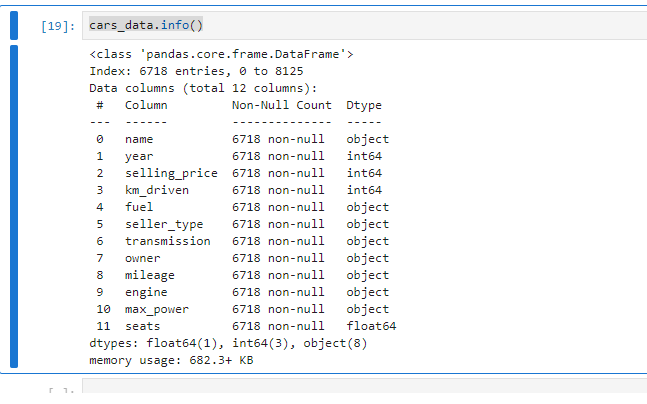
Perform Data Analysis

run command cars_data.info() 

to see the datatypes

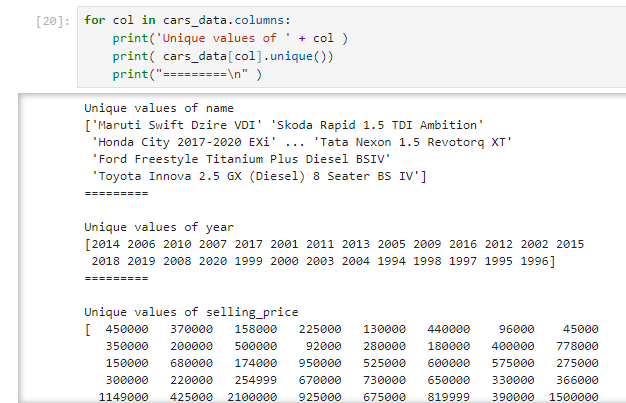
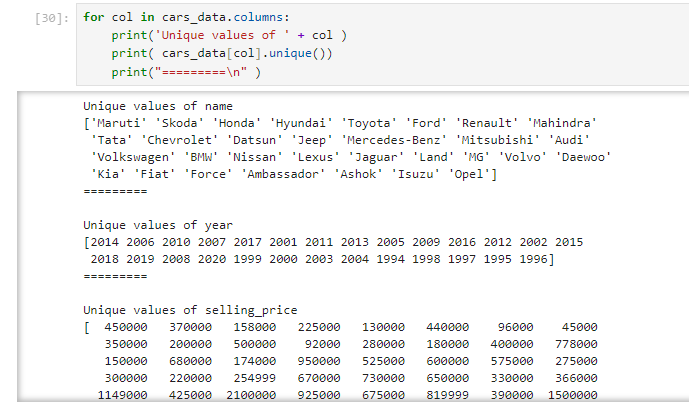
Check for unique records

run command 
for col in cars_data.columns:
    print(‘Unique values of ‘ + col )
    print( cars_data[col].unique())
    print(“=========\n” ) 
 

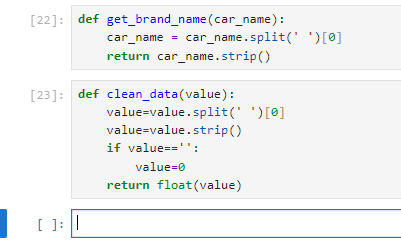
Write Function to Get Brand Name & Function to Convert to Float

def get_brand_name(car_name):
    car_name = car_name.split(‘ ‘)[0]
    return car_name.strip()
 
 def clean_data(value):

    value=value.split(‘ ‘)[0]
    value=value.strip()
    if value==”:
        value=0
    return float(value)

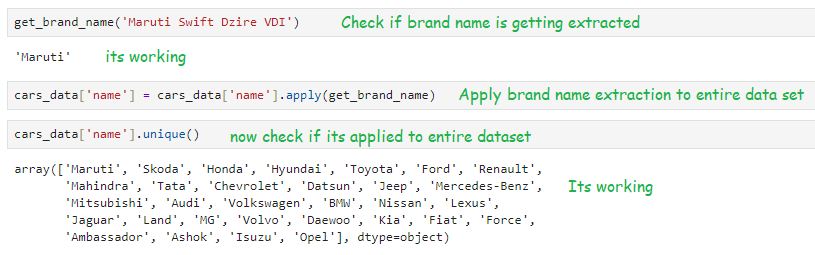
Check if brand name is getting extracted from car name by using the written function

def get_brand_name(car_name):

    car_name = car_name.split(‘ ‘)[0]
    return car_name.strip()
 
 def clean_data(value):

    value=value.split(‘ ‘)[0]
    value=value.strip()
    if value==”:
        value=0
    return float(value)

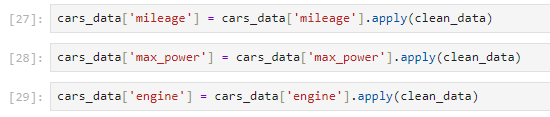
Now clean the other columns, do required typecasting

run follwing command    

cars_data[‘mileage’] = cars_data[‘mileage’].apply(clean_data)
cars_data[‘max_power’] = cars_data[‘max_power’].apply(clean_data)
cars_data[‘engine’] = cars_data[‘engine’].apply(clean_data)
 

Check for unique car names

run follwing command    

for col in cars_data.columns:
print(‘Unique values of ‘ + col )
print( cars_data[col].unique())
print(“=========\n” )

Assign numeric value to car names

run follwing command    

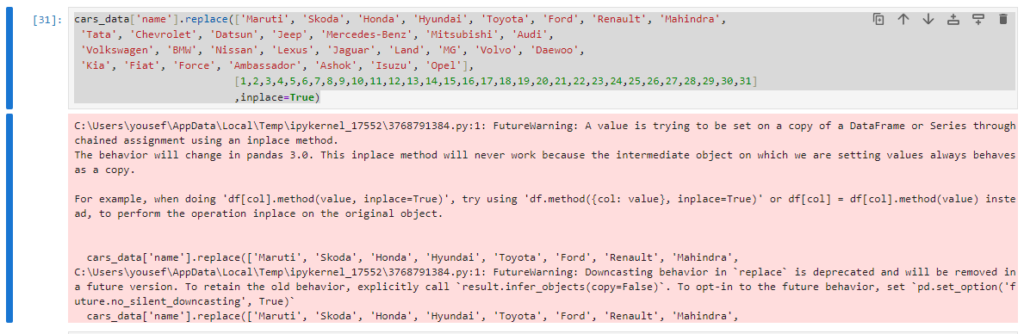
cars_data[‘name’].replace([‘Maruti’, ‘Skoda’, ‘Honda’, ‘Hyundai’, ‘Toyota’, ‘Ford’, ‘Renault’, ‘Mahindra’,
‘Tata’, ‘Chevrolet’, ‘Datsun’, ‘Jeep’, ‘Mercedes-Benz’, ‘Mitsubishi’, ‘Audi’,
‘Volkswagen’, ‘BMW’, ‘Nissan’, ‘Lexus’, ‘Jaguar’, ‘Land’, ‘MG’, ‘Volvo’, ‘Daewoo’,
‘Kia’, ‘Fiat’, ‘Force’, ‘Ambassador’, ‘Ashok’, ‘Isuzu’, ‘Opel’],
[1,2,3,4,5,6,7,8,9,10,11,12,13,14,15,16,17,18,19,20,21,22,23,24,25,26,27,28,29,30,31]
,inplace=True)
 
It will run successfuly, but show this warning error, re run the above command again this error will disappear

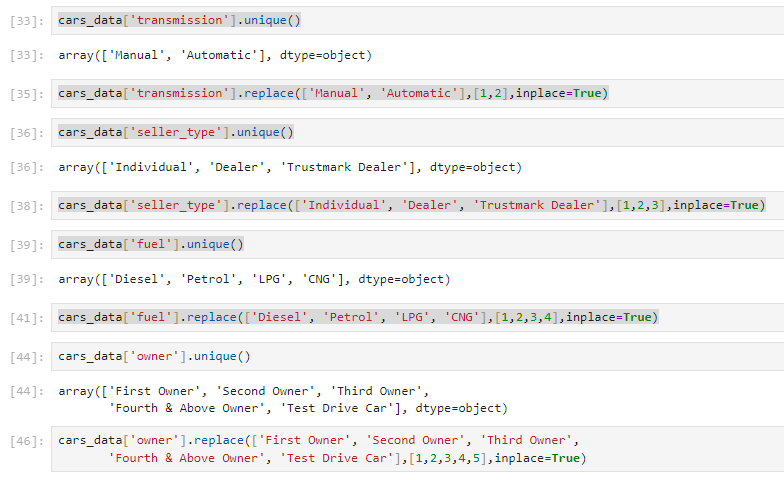
Assign numeric value to car names

run follwing command    

cars_data[‘transmission’].unique()
cars_data[‘transmission’].replace([‘Manual’, ‘Automatic’],[1,2],inplace=True)
cars_data[‘seller_type’].unique()
cars_data[‘seller_type’].replace([‘Individual’, ‘Dealer’, ‘Trustmark Dealer’],[1,2,3],inplace=True)
cars_data[‘fuel’].unique()
cars_data[‘fuel’].replace([‘Diesel’, ‘Petrol’, ‘LPG’, ‘CNG’],[1,2,3,4],inplace=True)
cars_data[‘owner’].unique()
cars_data[‘owner’].replace([‘First Owner’, ‘Second Owner’, ‘Third Owner’,
       ‘Fourth & Above Owner’, ‘Test Drive Car’],[1,2,3,4,5],inplace=True)
 

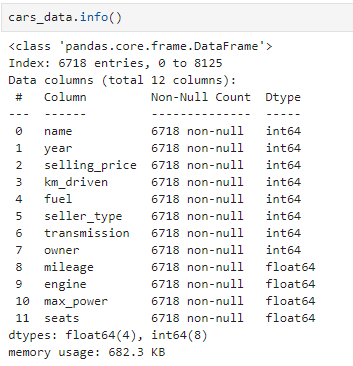
Rechecking Data Types

run follwing command    

cars_data.info()
 

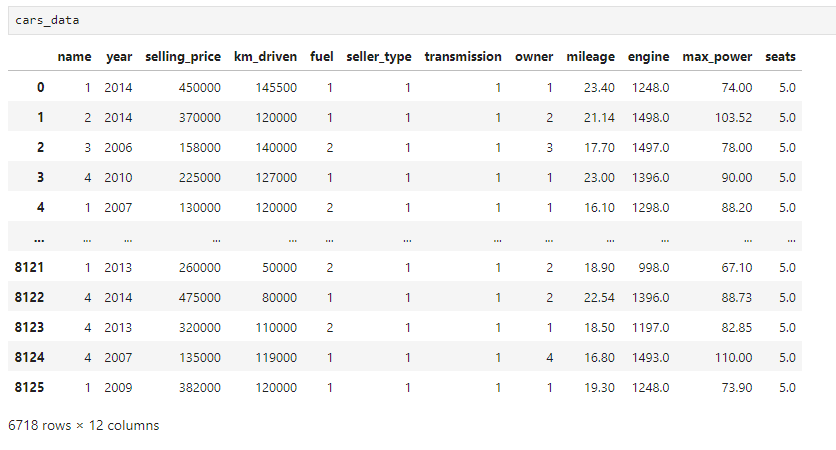
Check Data Set

run following command    

cars_data
 
We now have all numerical values

Split Input and Output Data Set

run following command    

input_data = cars_data.drop(columns=[‘selling_price’])
output_data = cars_data[‘selling_price’]
 
Split Train and Test Data Set
20% goes to test data set, 80% data to train data set
 
x_train, x_test, y_train, y_test = train_test_split(input_data, output_data, test_size=0.2)


Step 7 - Creating & Training Machine Learning Model

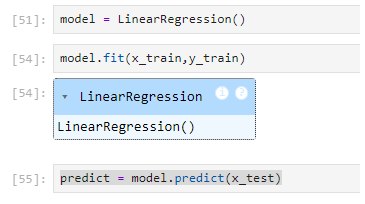
LinearRegression Model Creation

run following command    

model = LinearRegression()
model.fit(x_train,y_train)
predict = model.predict(x_test)


Step 8 - Testing the outcome

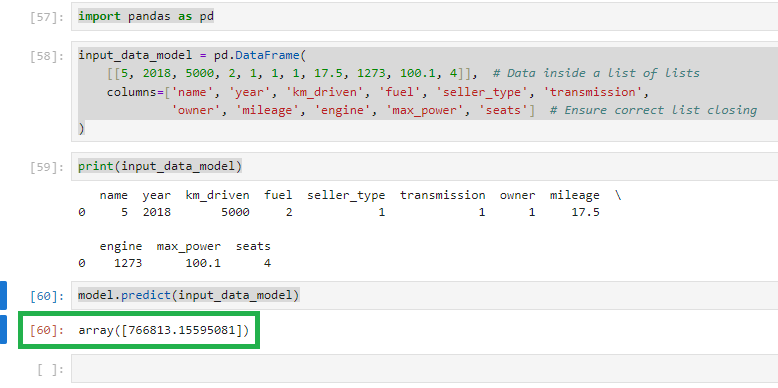
Import pandas

run following command    

import pandas as pd
 
Set the input values
input_data_model = pd.DataFrame(
[[5, 2018, 5000, 2, 1, 1, 1, 17.5, 1273, 100.1, 4]], # Data inside a list of lists
columns=[‘name’, ‘year’, ‘km_driven’, ‘fuel’, ‘seller_type’, ‘transmission’,
‘owner’, ‘mileage’, ‘engine’, ‘max_power’, ‘seats’] # Ensure correct list closing
)
 
Print and Check Input Value
 
print(input_data_model)
 
Run and Test The Outcome
 
model.predict(input_data_model)
 

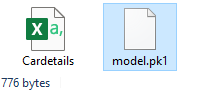
Saving the model

run following command    

import pickle as pk
 
pk.dump(model,open(‘model.pk1′,’wb’)) 
 
The model will be created and saved in same location as csv file location

The Above Was Building and Deploying ML model

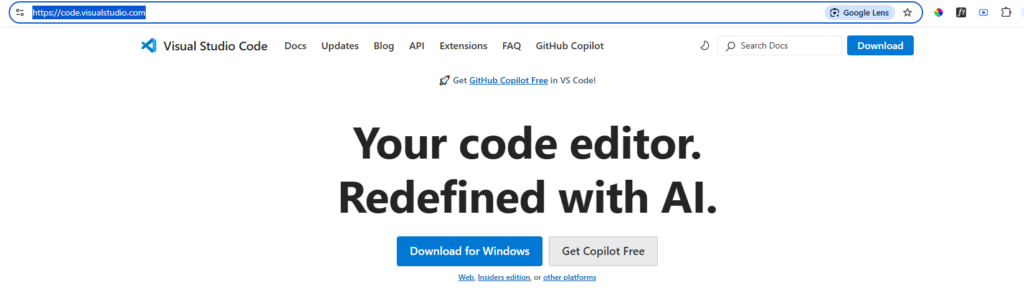
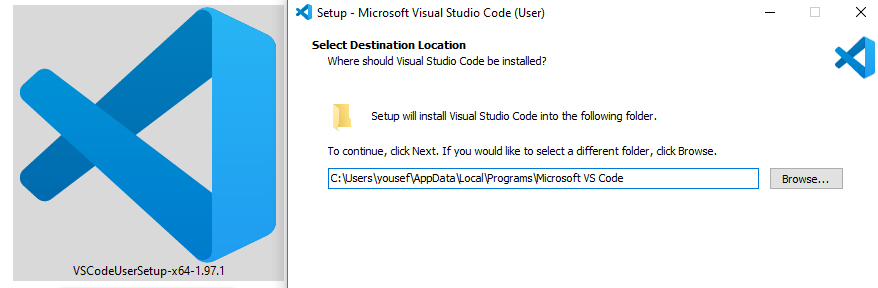
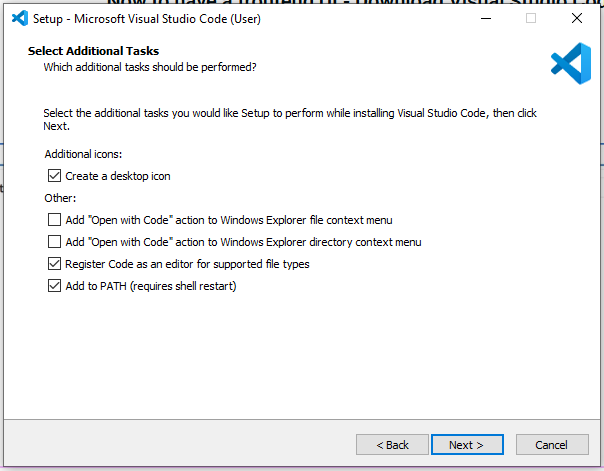
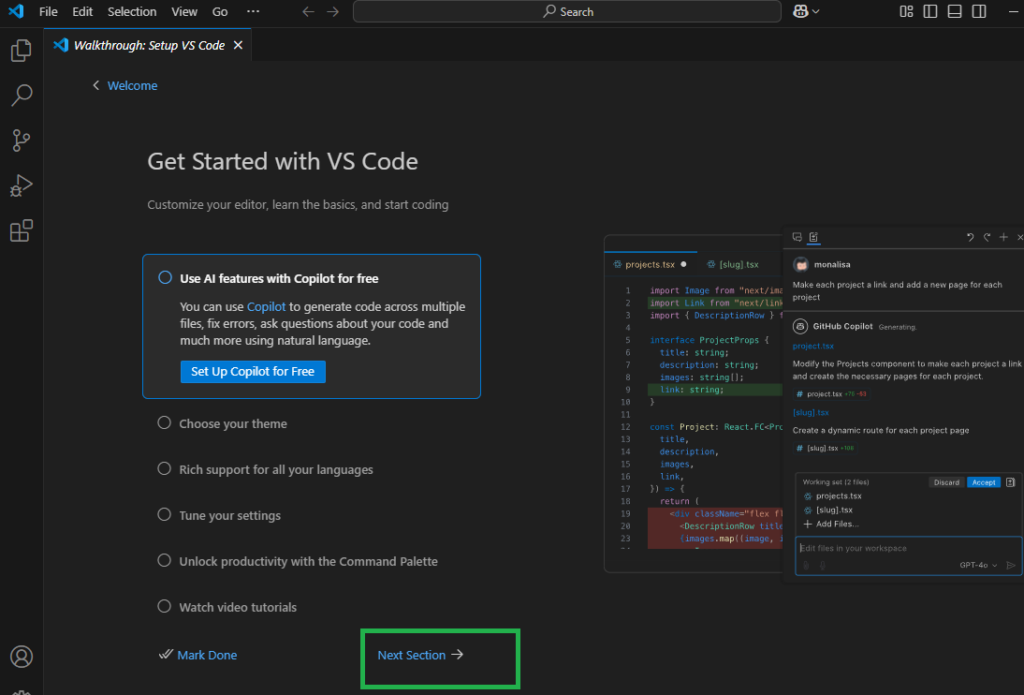
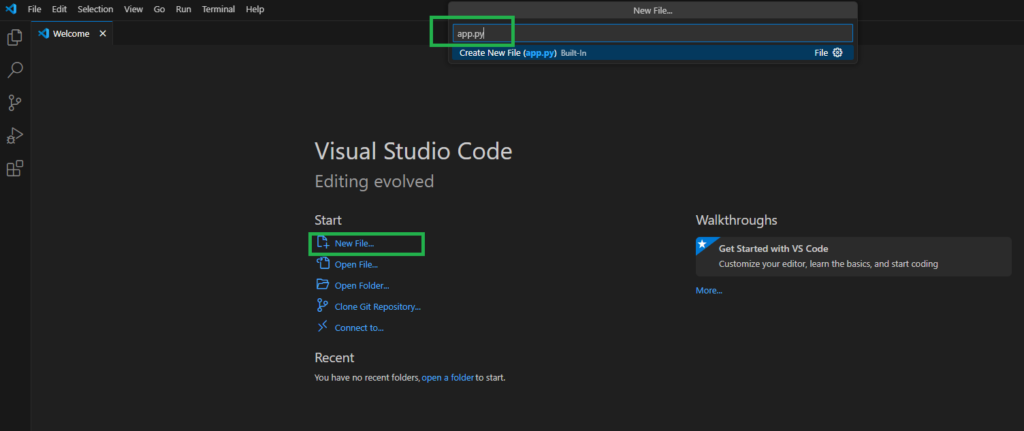
Now to have a frontend UI - Download Visual Studio Code

Download for Windows

https://code.visualstudio.com/

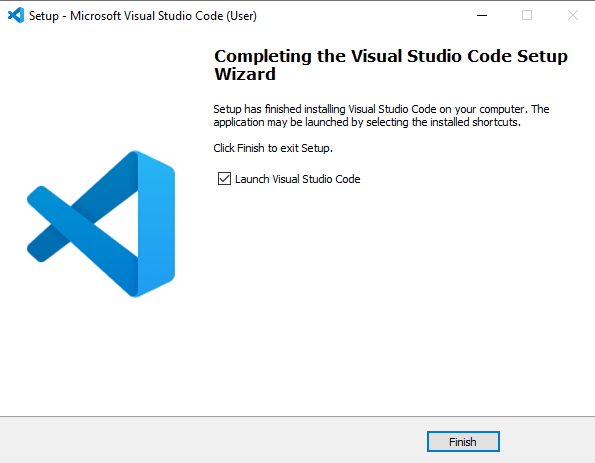
Run the installer

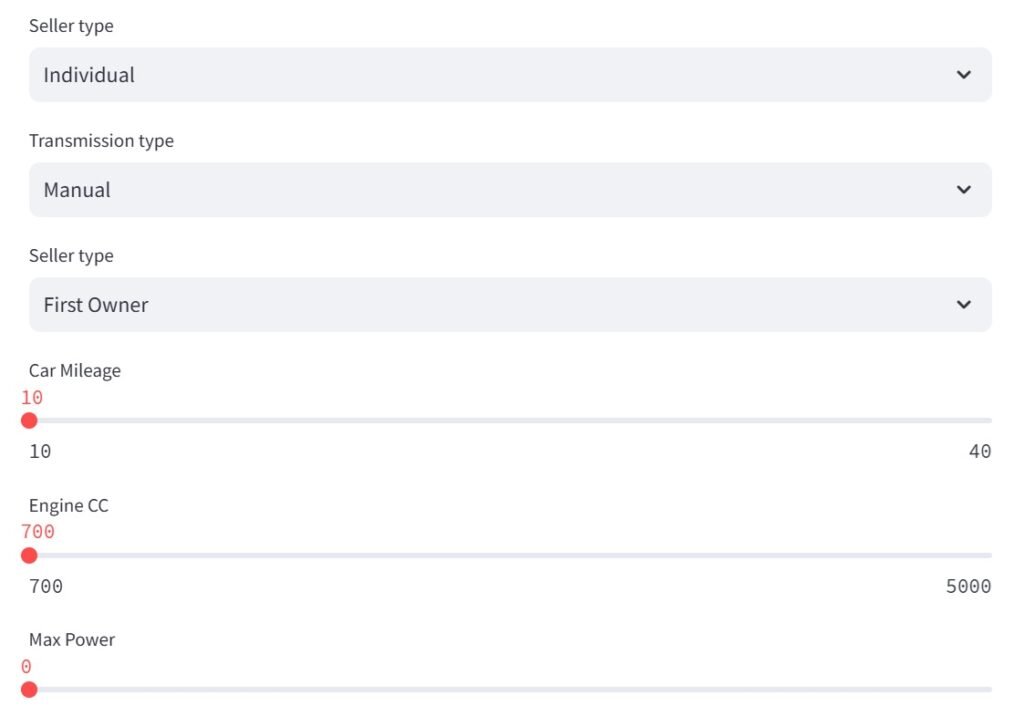
code for app.py

in same folder place model and csv file


import pandas as pd
import numpy as np
import pickle as pk
import streamlit as st

model=pk.load(open(‘model.pk1′,’rb’))

st.header(‘ Car Price Prediction Model ‘)

cars_data = pd.read_csv(‘Cardetails.csv’)

def get_brand_name(car_name):
    car_name = car_name.split(‘ ‘)[0]
    return car_name.strip()


cars_data[‘name’] = cars_data[‘name’].apply(get_brand_name)


name = st.selectbox(‘Select Car Brand’, cars_data[‘name’].unique())
year = st.slider(‘Car Manufactured Year’, 1994,2024)
km_driven = st.slider(‘No of kms Driven’, 11,200000)
fuel = st.selectbox(‘Fuel type’, cars_data[‘fuel’].unique())
seller_type = st.selectbox(‘Seller  type’, cars_data[‘seller_type’].unique())
transmission = st.selectbox(‘Transmission type’, cars_data[‘transmission’].unique())
owner = st.selectbox(‘Seller  type’, cars_data[‘owner’].unique())
mileage = st.slider(‘Car Mileage’, 10,40)
engine = st.slider(‘Engine CC’, 700,5000)
max_power = st.slider(‘Max Power’, 0,200)
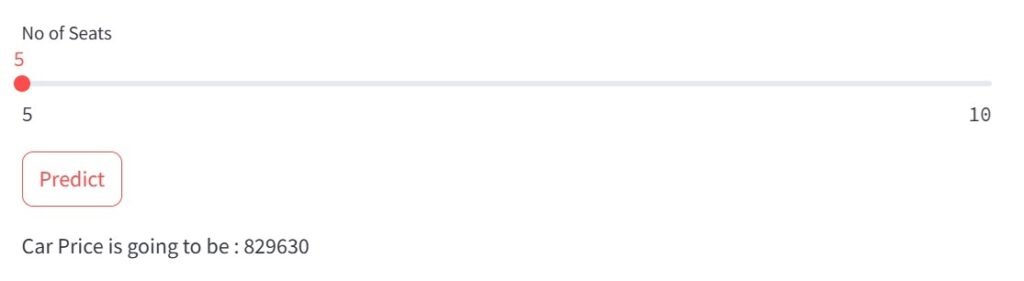
seats = st.slider(‘No of Seats’, 5,10)


if st.button(“Predict”):
    input_data_model = pd.DataFrame(
    [[name,year,km_driven,fuel,seller_type,transmission,owner,mileage,engine,max_power,seats]],
    columns=[‘name’,’year’,’km_driven’,’fuel’,’seller_type’,’transmission’,’owner’,’mileage’,’engine’,’max_power’,’seats’])
   
    input_data_model[‘owner’].replace([‘First Owner’, ‘Second Owner’, ‘Third Owner’,
       ‘Fourth & Above Owner’, ‘Test Drive Car’],
                           [1,2,3,4,5], inplace=True)
    input_data_model[‘fuel’].replace([‘Diesel’, ‘Petrol’, ‘LPG’, ‘CNG’],[1,2,3,4], inplace=True)
    input_data_model[‘seller_type’].replace([‘Individual’, ‘Dealer’, ‘Trustmark Dealer’],[1,2,3], inplace=True)
    input_data_model[‘transmission’].replace([‘Manual’, ‘Automatic’],[1,2], inplace=True)
    input_data_model[‘name’].replace([‘Maruti’, ‘Skoda’, ‘Honda’, ‘Hyundai’, ‘Toyota’, ‘Ford’, ‘Renault’,
       ‘Mahindra’, ‘Tata’, ‘Chevrolet’, ‘Datsun’, ‘Jeep’, ‘Mercedes-Benz’,
       ‘Mitsubishi’, ‘Audi’, ‘Volkswagen’, ‘BMW’, ‘Nissan’, ‘Lexus’,
       ‘Jaguar’, ‘Land’, ‘MG’, ‘Volvo’, ‘Daewoo’, ‘Kia’, ‘Fiat’, ‘Force’,
       ‘Ambassador’, ‘Ashok’, ‘Isuzu’, ‘Opel’],
                          [1,2,3,4,5,6,7,8,9,10,11,12,13,14,15,16,17,18,19,20,21,22,23,24,25,26,27,28,29,30,31]
                          ,inplace=True)

    car_price = model.predict(input_data_model)

    #st.markdown(‘Car Price is going to be : ‘+ str(car_price[0]))
    st.markdown(‘Car Price is going to be : ‘ + str(abs(int(round(car_price[0])))))
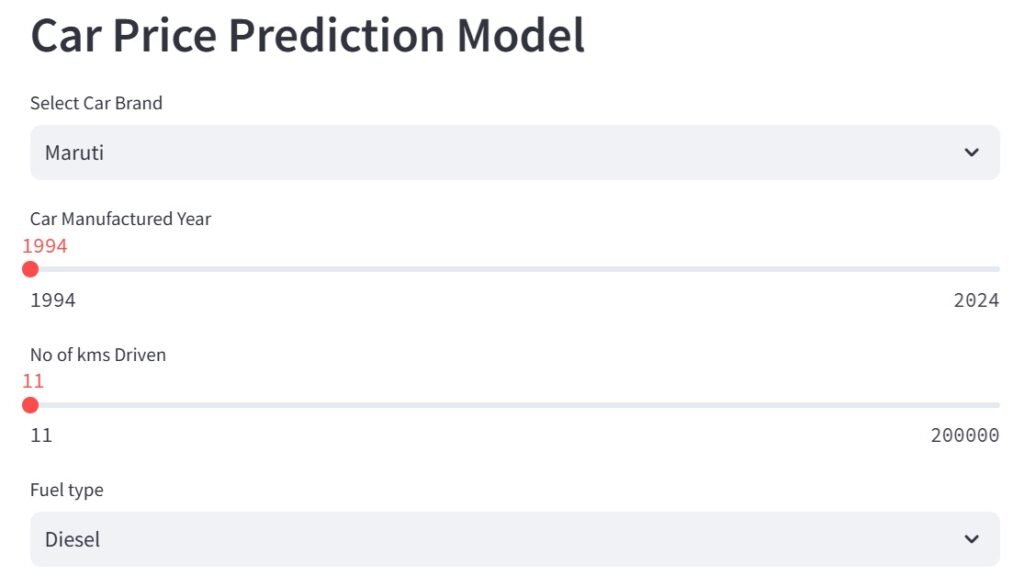
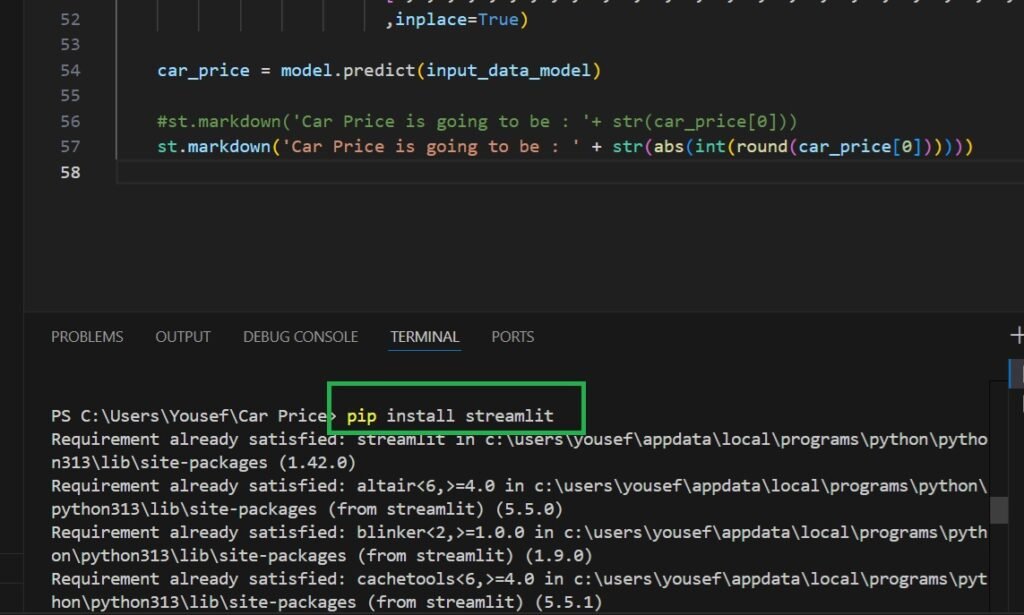
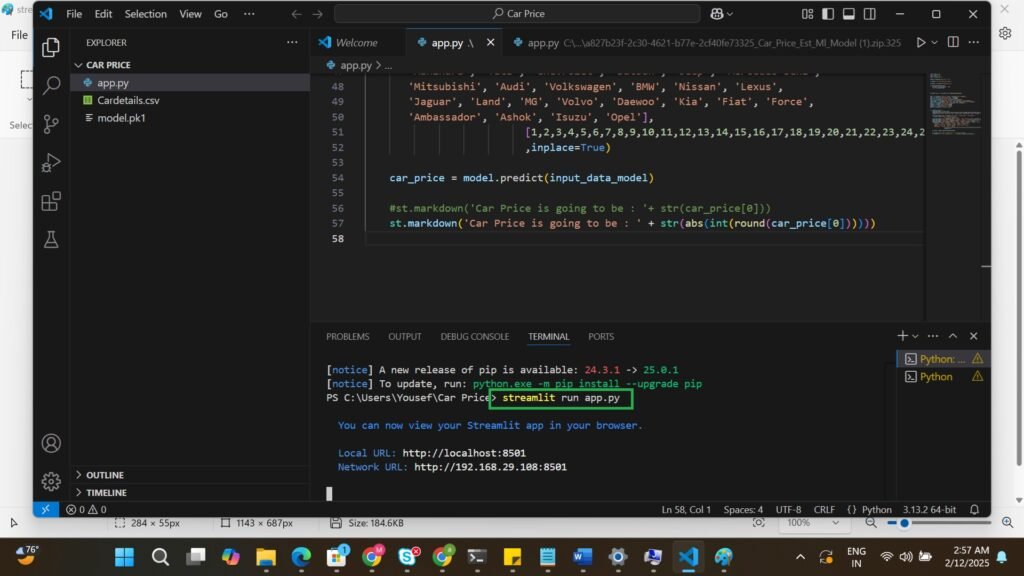
Isstall and Run Streamlit in Terminal